Equipo is a marketing project management platform covering campaign planning, channel management, task coordination, and content strategy. The goal of this project was to identify friction points in the existing interface and redesign them through an iterative, user-testing-driven process.
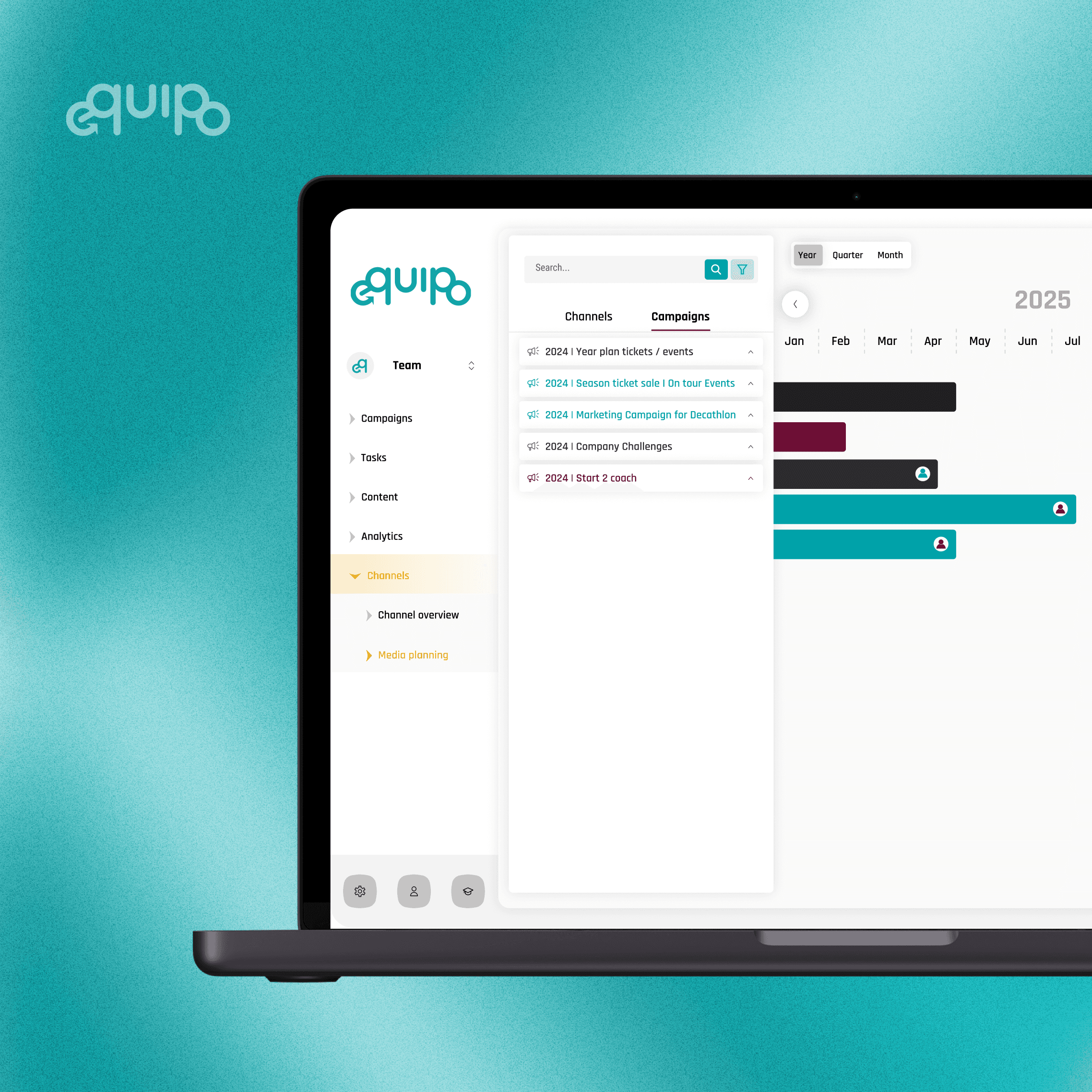
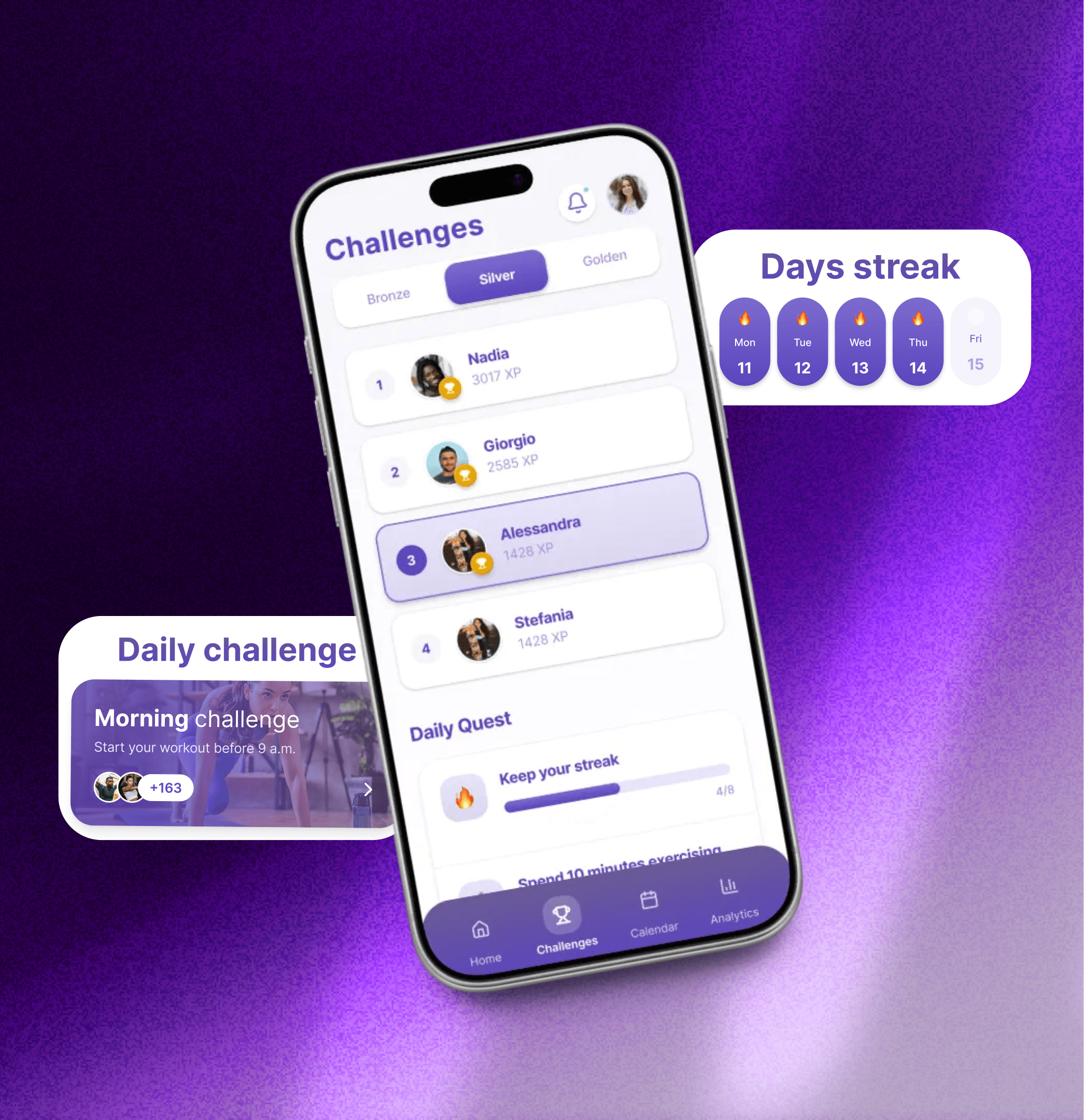
The original version of Equipo had grown complex over time. Navigation was unclear in key sections, the campaign editor required unnecessary scrolling and had a disjointed step structure, and the settings area lacked visual hierarchy.
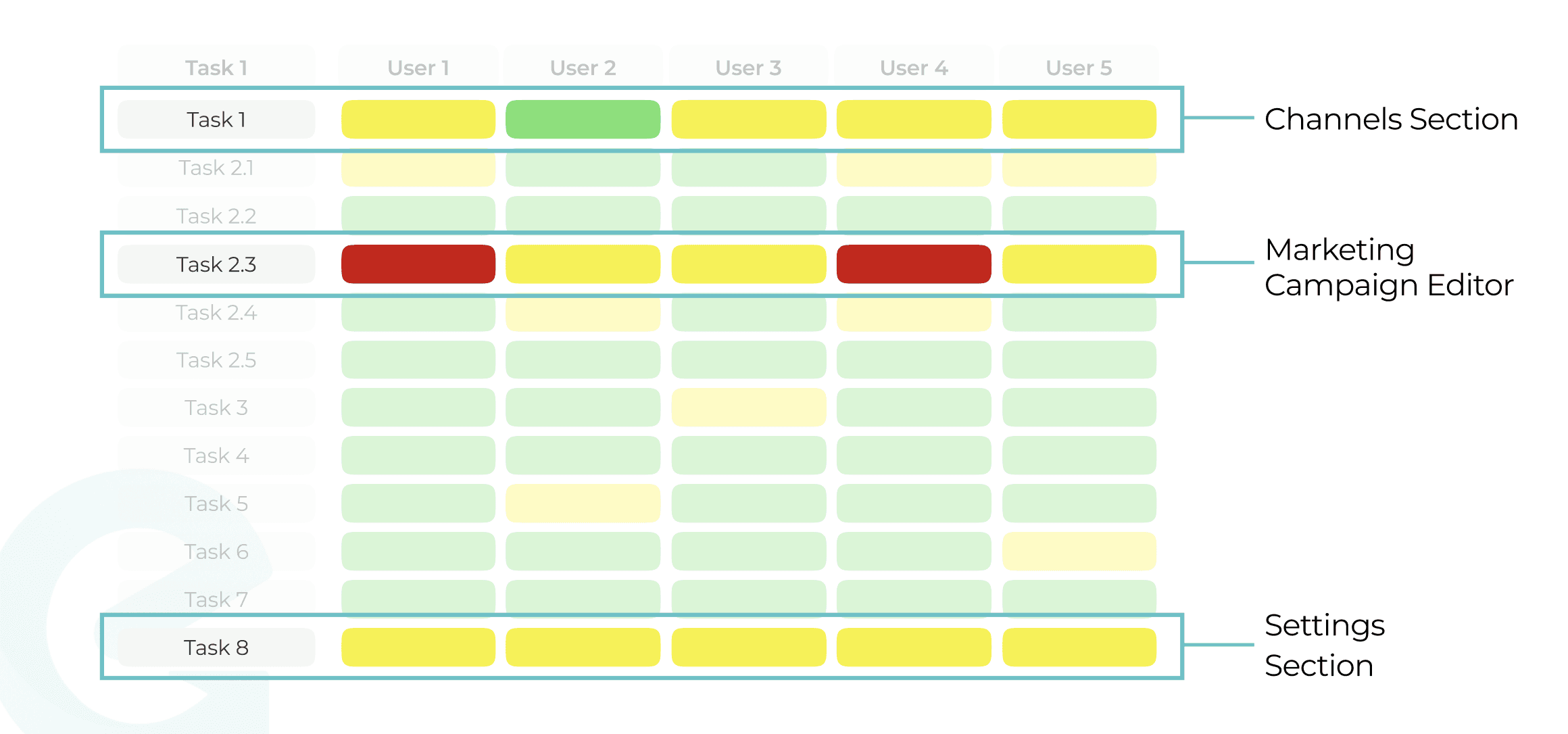
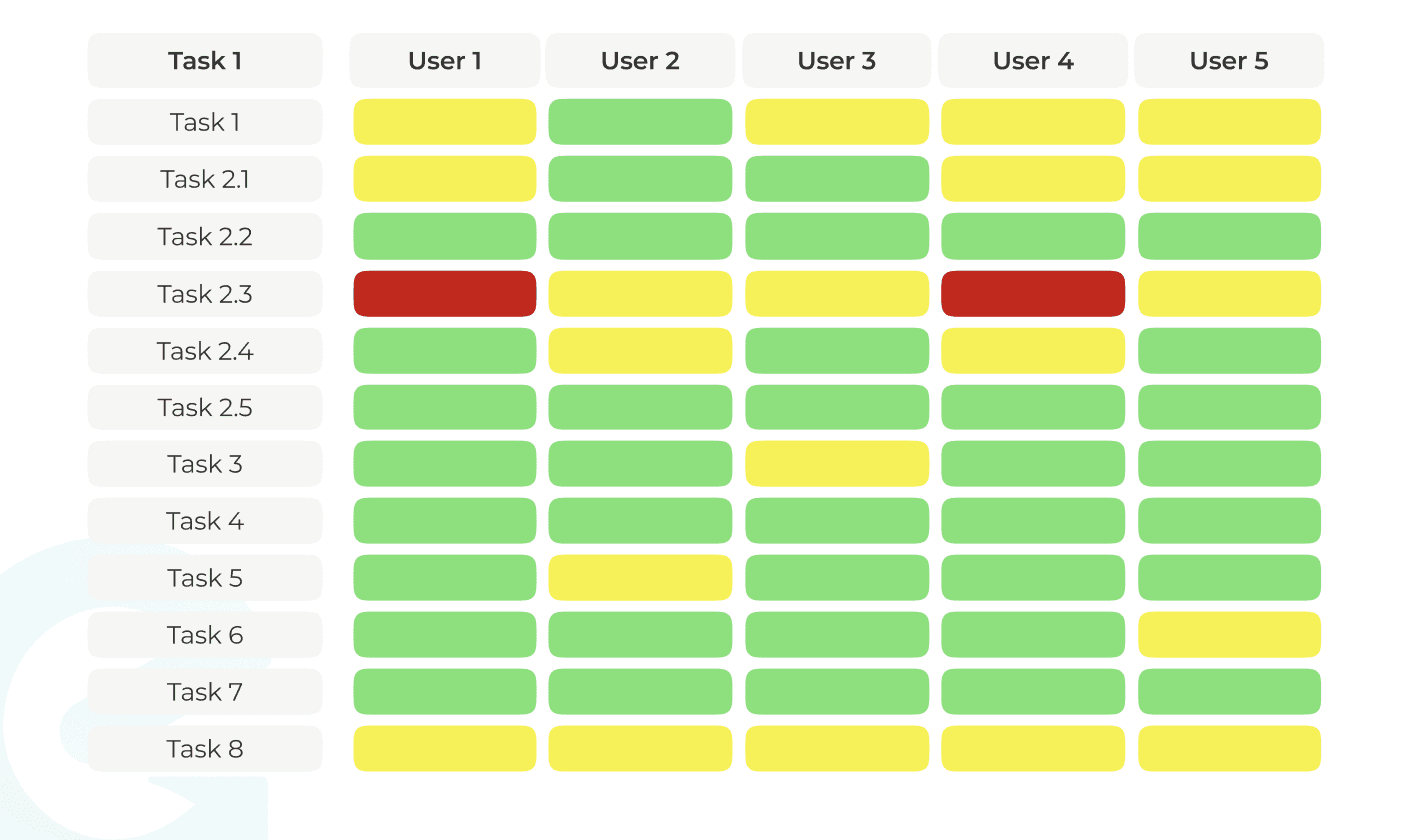
I built and moderated usability tests with 5 participants (ages 25–55, remote, various skill levels), combining direct observation with think-aloud protocols. Three metrics were tracked: task success rate, errors made, and qualitative feedback. The most problematic areas identified were the Channels section, the Campaign Editor, and the Settings flow.

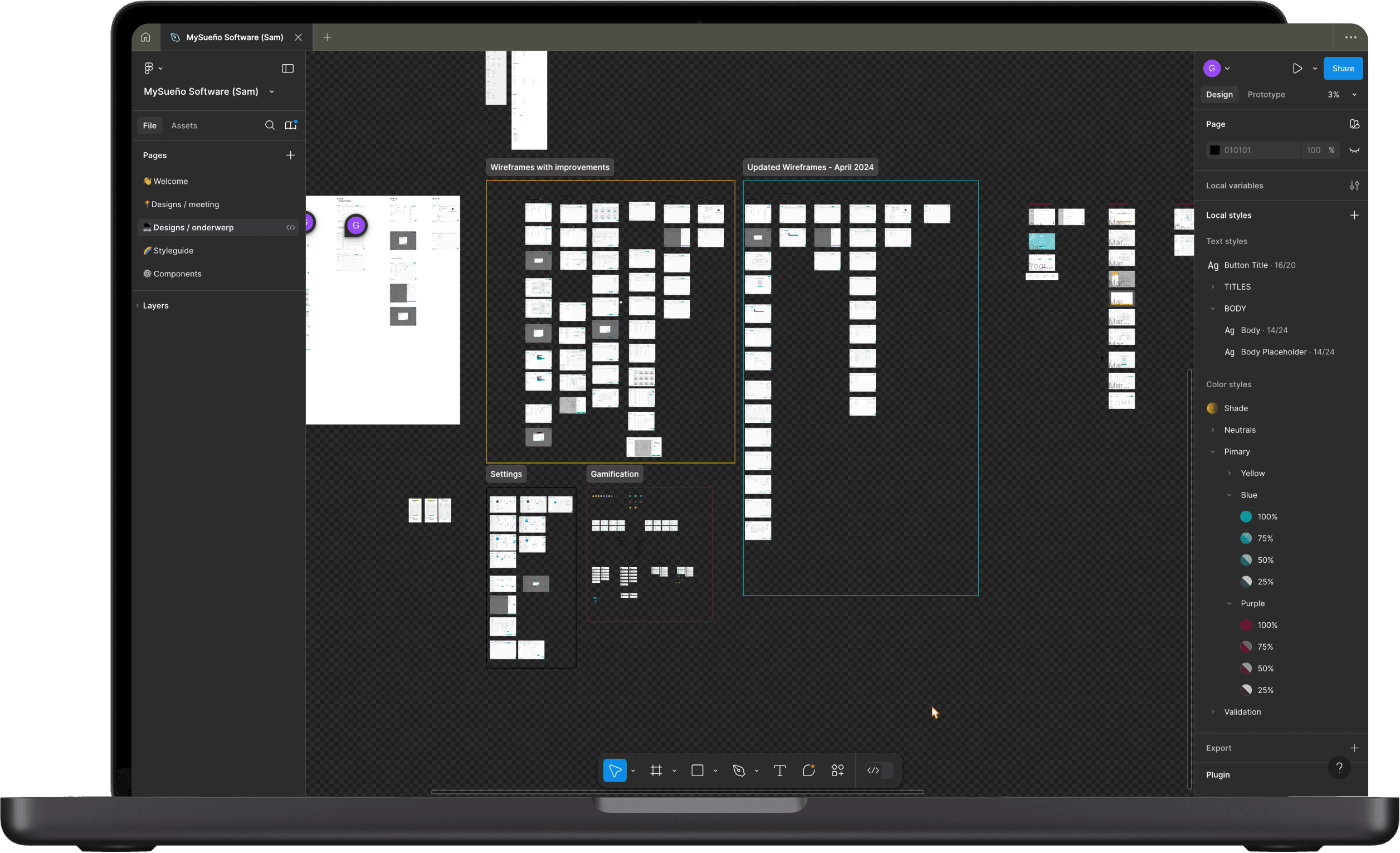
All changes were grounded directly in test findings. Using Figma, I tackled both surface-level consistency (typography, icons, button styles) and structural problems (layout, navigation flow, information architecture). Nothing was redesigned just for aesthetics: every change had a reason.
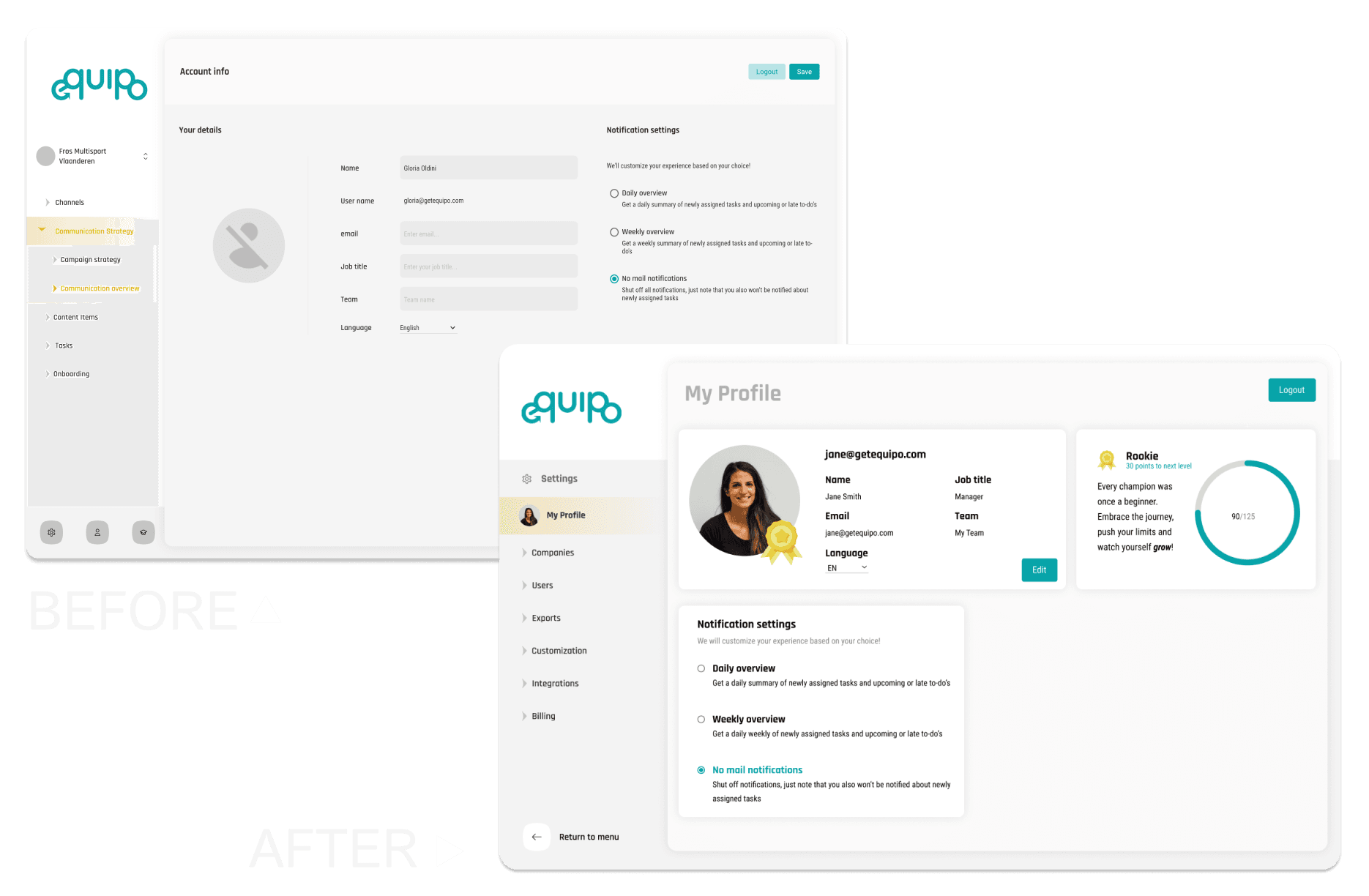
The settings section caused consistent friction across all five users. I rebuilt the companies view from a bare list into a scannable card grid, and redesigned the profile page to surface the most relevant information clearly.
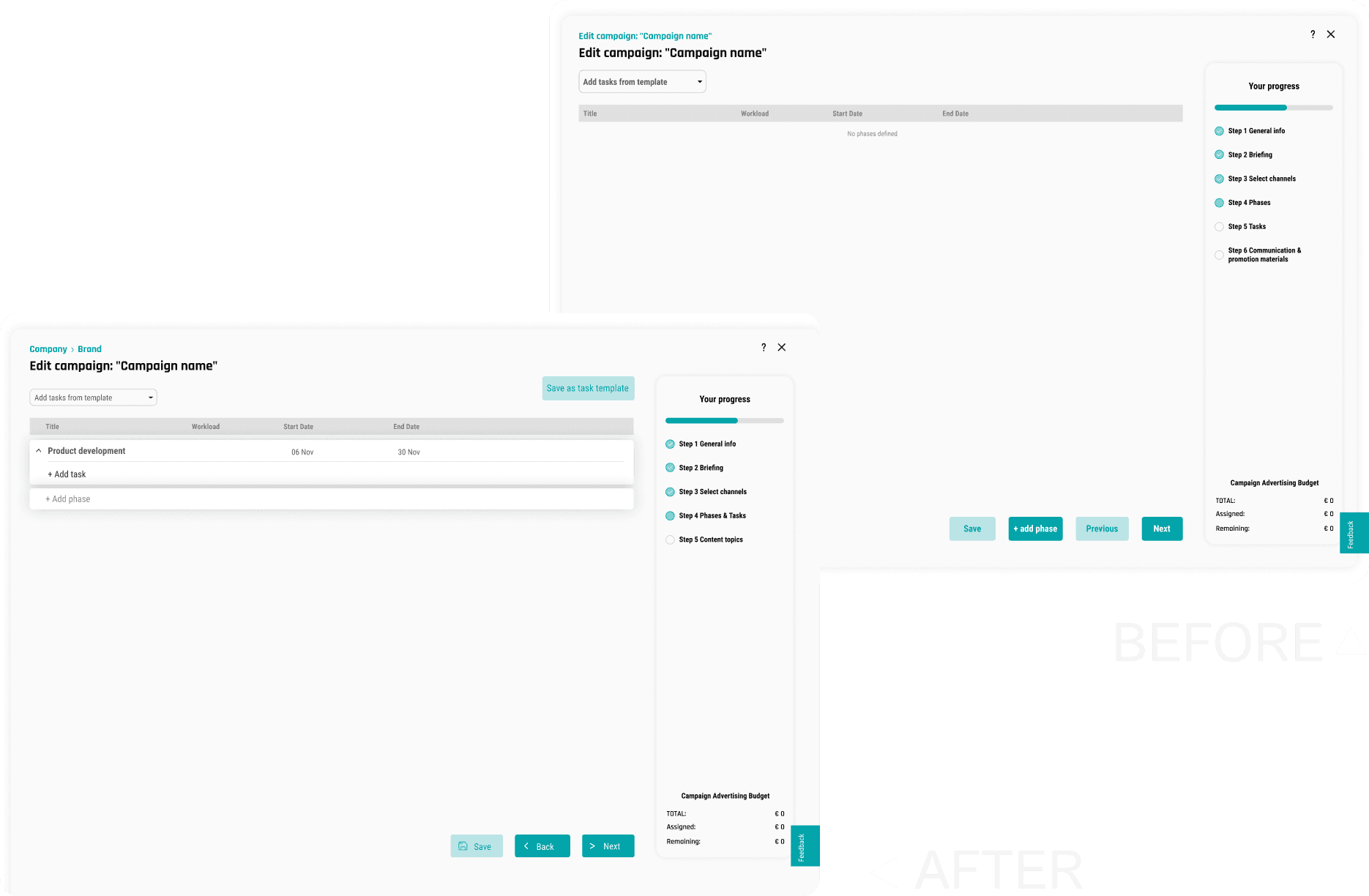
The campaign editor was the most critical pain point — two users couldn't complete Task 2.3 at all. I reorganized the layout to eliminate scrolling, merged the redundant phases and tasks steps, and repositioned key actions so the flow finally made sense.
Beyond these two areas, I also redesigned the channel management flow, unifying two separate popups into one and simplifying the labels, and applied consistency improvements across the whole interface: typography, icons, and button styles were all standardized to reduce visual noise and make the experience feel more cohesive.
A second round of testing with 4 participants validated the redesign. The improvement was clear: the results matrix shifted almost entirely to green, with only minor difficulties on Task 2.4 and Task 6. No tasks were left incomplete, a significant contrast with the original, where Task 2.3 was outright failed by two users.
This project reminded me how much cleaner the design process feels when you have real data to work from. Every change I made had a user behind it, someone who got stuck, hesitated, or couldn't complete a task. That made the decisions easier to make and easier to justify. When the second round of testing came back almost entirely green, it wasn't a surprise. It was just the logical result of actually listening first.